https://peppe8o.com/arduino-uart-communication/
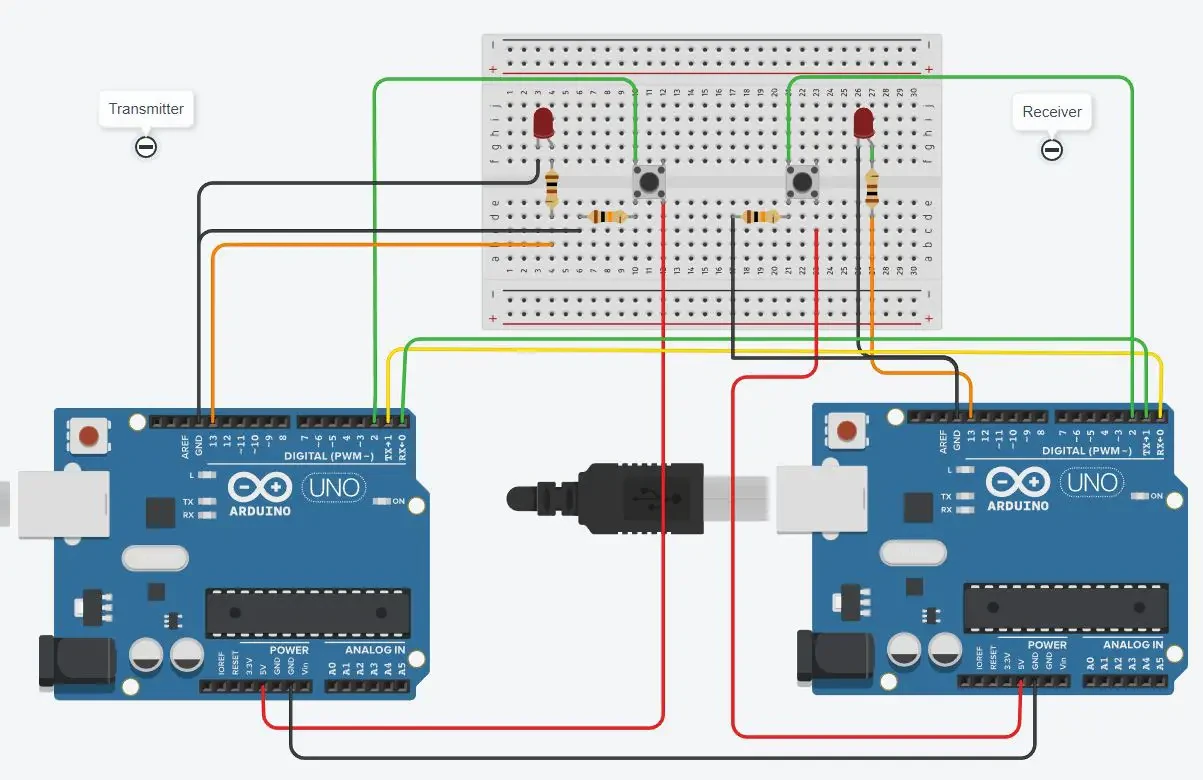
Section 1: “uart-trasmitter-code.ino” code
This section contains the code explanation for the transmitter, which performs Serial.write(x). The x is the value that reads from the push button. The push button, when pressed, becomes high, which means that it becomes 1. The baud rate set for the communication is 9600. The LEDs are set here to get the value from the receiver to turn the LED on and off.
#define PB 2
void setup()
{
  Serial.begin(9600);
  pinMode(13, OUTPUT);
  pinMode(PB, INPUT);
}
void loop()
{ byte x=digitalRead(PB);
  Serial.write(x);
  if(Serial.available())
  {
  byte rec=Serial.read();
  if(rec==1)
  {
    digitalWrite(13,HIGH);
  }
  else digitalWrite(13,LOW);
  }
}
Section 2: “uart-receiver-code.ino” code
This is the section for the receiving part. Both the receiving and transmitting codes look the same as the communication is happening in half-duplex. So the commands send from the transmitter and received at the receiver by the serial.read() if the value is 1, then the LED turns on; otherwise, it remains off.
#define PB 2
void setup()
{
  Serial.begin(9600);
  pinMode(13, OUTPUT);
  pinMode(PB, INPUT);
}
void loop()
{ byte x=digitalRead(PB);
  Serial.write(x);
  if(Serial.available())
  {
  byte rec=Serial.read();
  if(rec==1)
  {
    digitalWrite(13,HIGH);
  }
  else digitalWrite(13,LOW);
  }
}
Simulating the Arduino UART communication
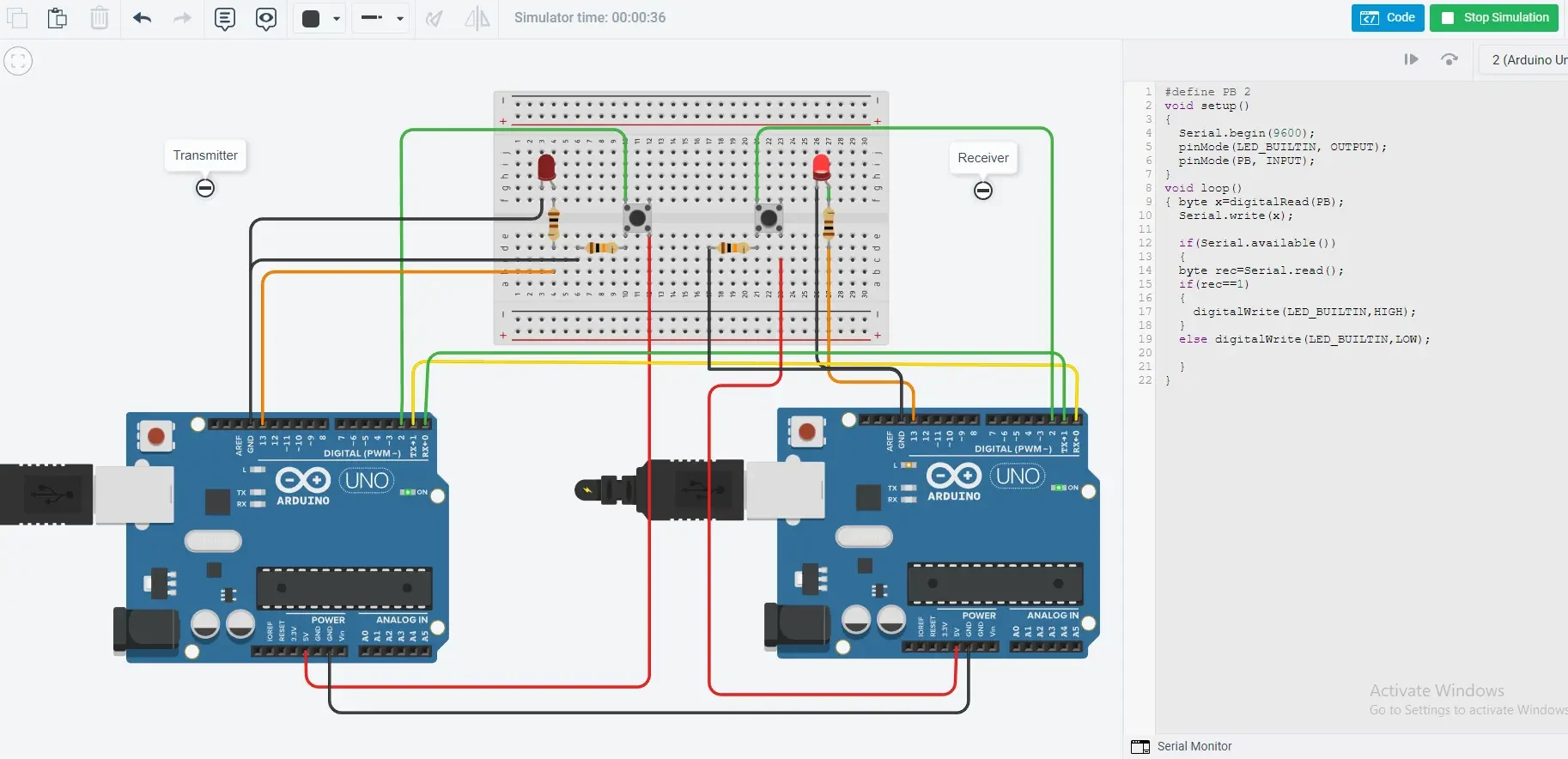
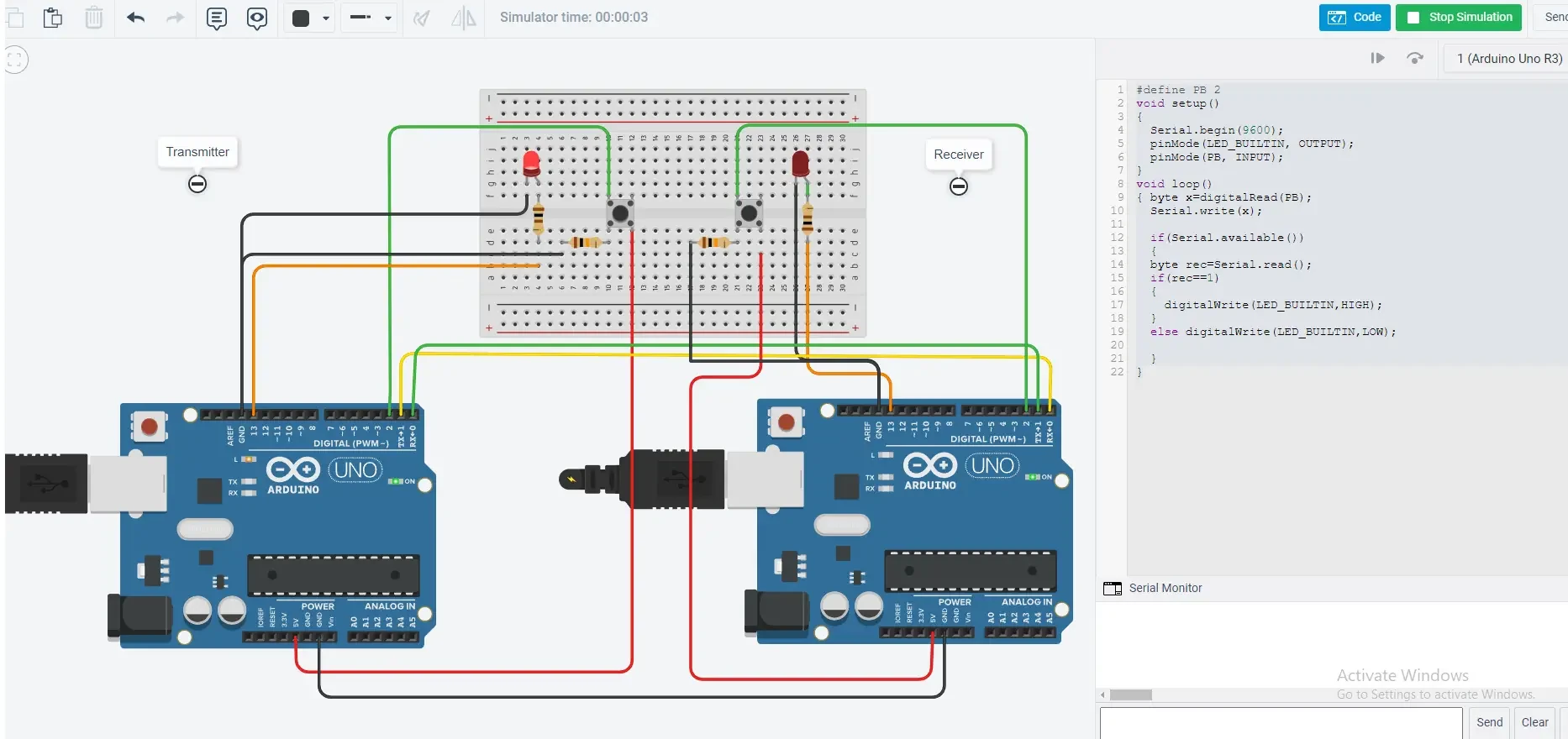
The simulation is made to give the demo, as in the picture it can be seen that the led on the receiver side is on, which happened by pressing the button at the transmitter. Similarly, the second figure, displays that LED is on the transmitter side, in which the button at the receiver is pressed. On pressing the button, the value becomes 1, which means that the transmitted value is 1, while without pressing the button, the value is 0.
What’s Next
Please find more tutorials on Arduino in peppe8o Arduino archives.
Enjoy!
Umar Jamil
For any queries and help for work, please contact me at:
Whatsapp: +92-346-661-7017/ Link
Email: umarjamil0007@gmail.com


No comments:
Post a Comment